Rexing C1 2K Front Dash Cam Review: Specs, Fit, and Who It's For
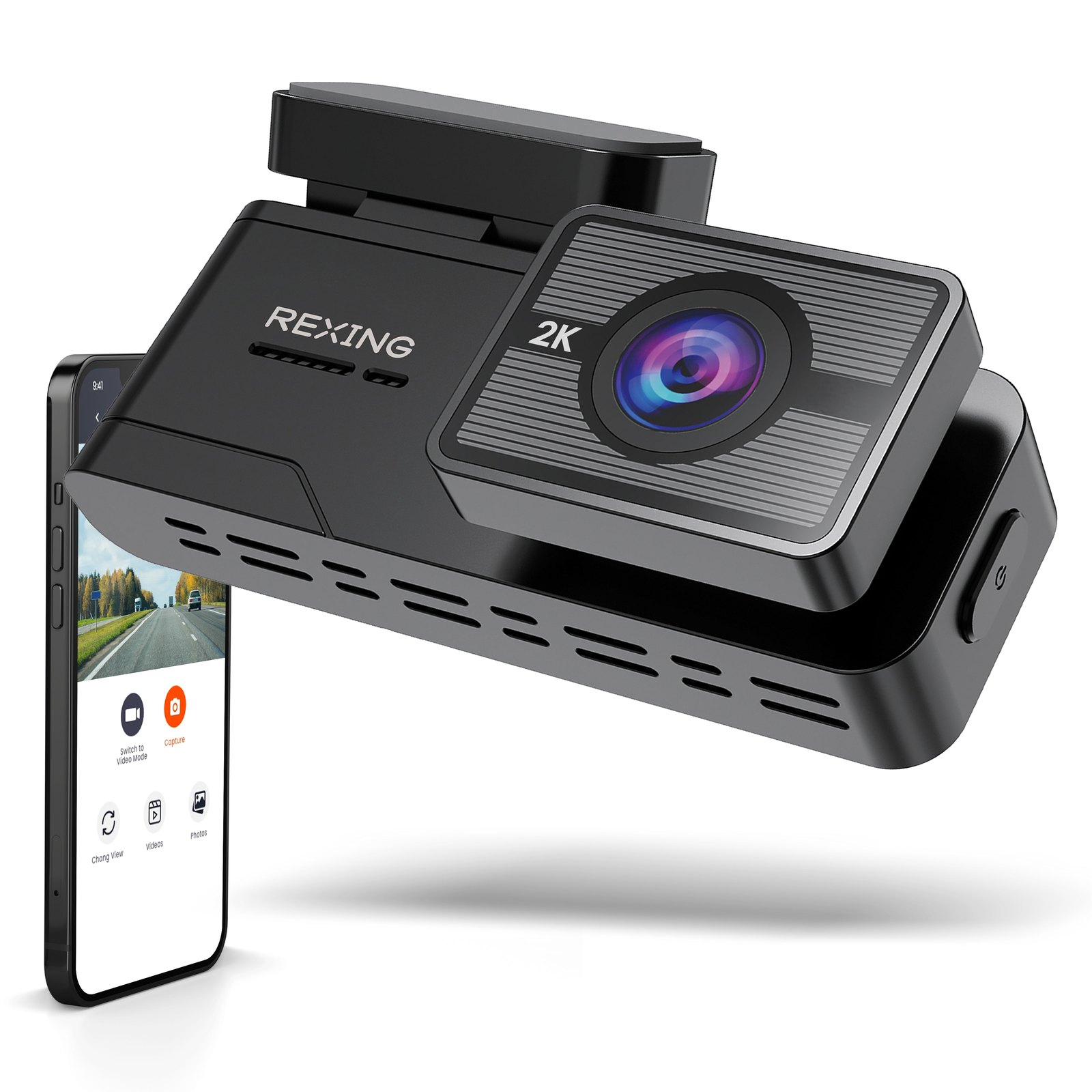
You do not need a 4K video file to prove who ran a red light or backed into your bumper. You need a clear, time-stamped clip of the lane in front of you, saved to a card that survives a Texas summer or a Minnesota winter. The Rexing C1 2K Front Dash Cam is built for that specific job: a single-channel, front-facing unit that records at 2K resolution and connects to your phone over Wi-Fi so you can review footage without pulling out a laptop. It is not a multi-lens security system, and it is not trying to be. It is a straightforward front-cabin recorder for drivers who want reliable, app-controlled video without the complexity of a three-channel setup.
Quick Answer
| Best for | Drivers who want a simple, single-lens front dash cam with 2K clarity and easy phone-based review via the Rexing Connect app. |
| Skip if | You need rear or interior coverage, or you want a built-in GPS map overlay that is not explicitly confirmed in the current spec sheet. |
| One line | A no-frills, supercapacitor-powered front dash cam that prioritizes temperature resilience and app convenience over high-end video codecs. |
Swipe sideways to compare →
What actually changes the buy is fit, what you should skip, and which tradeoffs show up after week one — not a longer spec sheet. If you already know the job, see current options while you read the criteria.
What the Official Page Lists
The Rexing C1 2K Front Dash Cam is positioned in Rexing’s single-channel lineup, sitting between the budget V1 Basic 1080p and the higher-tier C1 Plus Ultra HD models. The official product page highlights several specific engineering choices that distinguish it from generic dash cams.
| Feature | Official Detail |
|---|---|
| Resolution | 2K Front Recording |
| Connectivity | Wi-Fi with App Control (Rexing Connect) |
| Power Source | Supercapacitor (not lithium battery) |
| Parking Mode | Available (requires Hardwire Kit) |
| Temperature Range | Built for extreme hot and cold performance |
| Color | Black |
Swipe sideways to compare →
The use of a supercapacitor is a significant spec to note. Unlike lithium-ion batteries, which can swell or fail in extreme heat, supercapacitors are designed to handle temperature swings without degrading. This makes the C1 a practical choice for vehicles left in direct sun or parked in freezing conditions. The parking monitor function is a key feature, but it is not active out of the box; it requires the separate hardwire kit to provide constant power to the camera while the car is off.
Who It's For
This camera is designed for drivers who view a dash cam as a utility, not a gadget. If your primary concern is having clear evidence of road incidents and you prefer managing your footage on your phone rather than a computer, the C1 fits that workflow.
- Commuters and daily drivers who want automatic loop recording and easy access to clips via the Rexing Connect app.
- Drivers in extreme climates who need a unit that won’t fail due to battery degradation from heat or cold.
- Budget-conscious buyers who want 2K resolution without paying for 4K or multi-channel systems they may not use.
- Users who want parking protection and are willing to install a hardwire kit for motion/impact detection while parked.
Who Should Skip
The C1 is a single-channel front camera. If your needs extend beyond the windshield view, this model will not cover them.
- Drivers who need rear coverage for parking lots or rear-end collision evidence. You would need a separate rear camera or a multi-channel system.
- Users who want a fully self-contained setup without extra hardware. The parking mode requires a hardwire kit, which adds a small installation step.
- Enthusiasts seeking 4K or 5K resolution. While 2K is clear for most insurance and police purposes, if you specifically want the highest possible pixel count for zooming in on distant license plates, you might look at the Rexing V1-4K Ultra HD Car Dash Cam with Wi-Fi or the Rexing C1 Plus Ultra HD.
- Drivers who do not want to use an app. The C1 relies on Wi-Fi and the Rexing Connect app for file management. If you prefer a simple SD card and no phone interaction, a basic model without app features might be less friction, though the C1’s app is a convenience for most.
Mid-check
If the criteria above already match how you actually use the space, stop here and check current options before you keep reading comparison noise.
How to Choose in Five Minutes
- Confirm your channel needs. If you only need front coverage, the C1 is efficient. If you need rear or interior, look at multi-channel options.
- Check your climate. If you live in an area with extreme heat or cold, the supercapacitor design is a strong plus. Verify the specific temperature range on the Rexing USA product page for your region.
- Decide on parking mode. If you park in public and want motion detection, budget for the hardwire kit. If you park in a garage or secure location, you can skip it and just use the standard power cord.
- Review the app. Download the Rexing Connect app to ensure it works with your phone’s OS version before committing.
- Compare resolution needs. 2K is sufficient for most incident documentation. If you are unsure, read our guide on how to choose a dash cam resolution to see if 2K meets your specific use case.
FAQ
Is the Rexing C1 2K Front Dash Cam a good first dash cam? Yes, it is a solid entry point for drivers who want more than 1080p but do not need 4K. The 2K resolution provides clear detail for license plates and road signs, and the app control makes reviewing footage easy. The supercapacitor also adds a layer of reliability for long-term use.
Does the Rexing C1 2K Front Dash Cam have GPS? The official product page does not explicitly list GPS mapping as a core feature in the primary spec list. If GPS overlay is critical for your records, verify this specific detail on the Rexing C1 2K Front Dash Cam page before purchasing, as some models in the lineup may offer it as an add-on or separate variant.
Can I use the Rexing C1 without the hardwire kit? Yes. The camera can be powered directly from your vehicle’s 12V outlet using the included power cord. However, you will only have parking monitor features if you install the hardwire kit. Without it, the camera will only record while the car is on.
How does the Rexing C1 compare to the V1 Basic? The Rexing V1 Basic 1080p Dash Cam is a lower-resolution, budget option. The C1 offers 2K resolution and is positioned as a step up in image clarity. If you are on a tight budget and 1080p is sufficient, the V1 Basic is a valid alternative, but the C1 offers better detail for the same single-channel form factor.
Is there a warranty on the Rexing C1 2K Front Dash Cam? Rexing typically offers a limited warranty on their products. Since warranty terms can change, check the current policy on the Rexing USA support page to confirm the exact duration and coverage details for this specific SKU.
Bottom Line
The Rexing C1 2K Front Dash Cam is a practical, no-nonsense choice for drivers who want a reliable front-facing recorder with modern connectivity. It trades the highest-end video specs for a design that prioritizes temperature resilience and ease of use. If you need a single lens that captures clear 2K footage and lets you manage it from your phone, it does that job well. If you need more channels or higher resolution, look at the other options in the Rexing lineup.
Some links on this page may be affiliate links. We may earn a commission if you buy through them, at no extra cost to you.
For more on setting up your dash cam, check out our guide on dash cam installation tips.